
STP – Spanning Tree Protocol Configuration on Cisco Switches
 Suresh Thapa
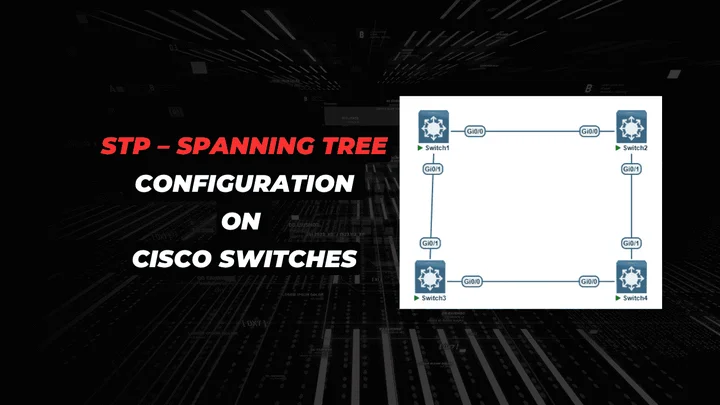
Spanning Tree Protocol (STP) is a Layer 2 protocol that runs on switches. The specification for STP is IEEE 802.1D. The main purpose of STP is to ensure that you do not create loops when you have redundant paths in your network. Loops are deadly to a network.
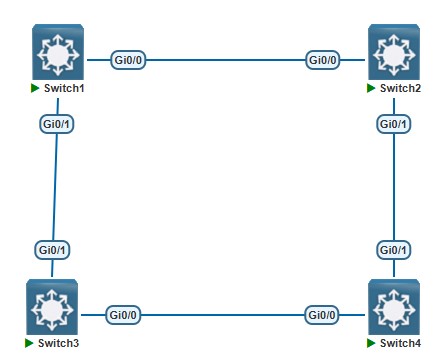
STP runs on switches that are 802.1D-compliant. There are different flavors of STP, but 802.1D is the most popular and widely implemented. You implement STP on switches in order to prevent loops in the network. Use STP in situations where you want redundant links, but not loops. Redundant links are as important as backups in the case of a failover in a network. A failure of your primary activates the backup links so that users can continue to use the network. Without STP on the switches, such a failure can result in a loop. If two connected switches run different flavors of STP, they require different timings to converge. When different flavors are used in the switches, it creates timing issues between Blocking and Forwarding states. Therefore, it is recommended to use the same flavors of STP. Consider this network:
Perform These Task for Configure STP
- Create VLAN 10,20,30 and 40 and configure Trunk ports on all switches.
- check Which switch is the root bridge for VLAN 10 and why?
- Make sure switch 1 is the root bridge for VLAN 10,30 switch 2 should be the backup in case switch 1 fails. You are not allowed to use the spanning-tree root command on vlan 30.
- Make sure switch 2 is the root bridge for VLAN 20,40 switch 1 should be the backup in case switch 2 fails. You are not allowed to use the priority command on VLAN 40.
- Change the hello timer on all switches for VLAN 10 to 4 seconds.
- In the future, there will be a workstation connected to switch switch4 Gi0/3. Make sure it goes to forwarding mode immediately.
For this lab I am using EVE-NG and IOSv-L2
Spanning Tree Topology.
Configure VLANs and Trunk on all Switches.
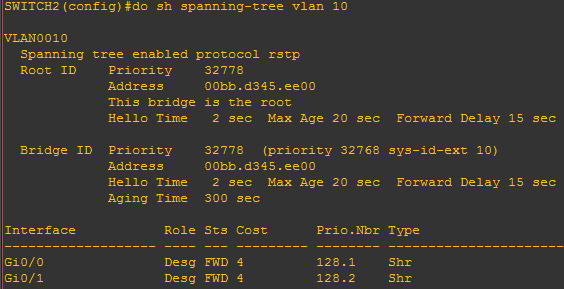
In my scenario Switch 2 is root for VLAN 10. Because MAC Address is lower than other switches.
SWITCH#show spanning-tree vlan 10
Spanning Tree configuration for VLANs 10,30 on Switch-1 and Switch-2 for VLAN 10 we will use root command and for VLAN 30 priority lower priority is better.
SWITCH1(config)#spanning-tree vlan 10 root primary
SWITCH1(config)#spanning-tree vlan 30 priority 8192
SWITCH2(config)#spanning-tree vlan 10 root secondary
SWITCH2(config)#spanning-tree vlan 30 priority 16384
Verify root bridge
SWITCH1#show spanning-tree vlan 10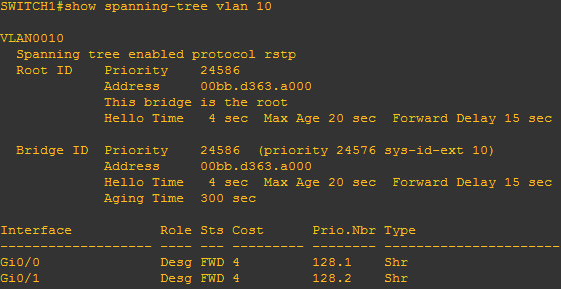
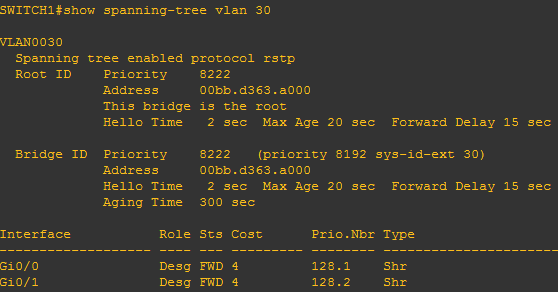
Spanning Tree configuration for VLANs 20,40 on Swich1 and Switch2.
SWITCH2(config)#spanning-tree vlan 20 root primary
SWITCH2(config)#spanning-tree vlan 40 root primary
SWITCH1(config)#spanning-tree vlan 20 root secondary
SWITCH1(config)#spanning-tree vlan 40 root secondary
Verify root bridge
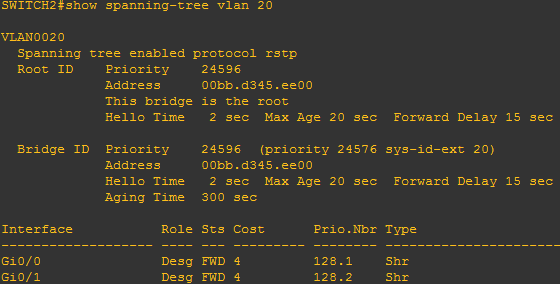
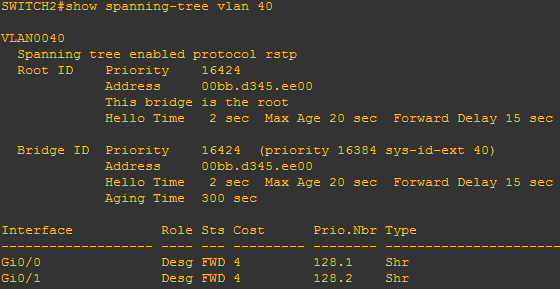
Now change hello time for VLAN 10 using this command.
SWITCH1(config)#spanning-tree vlan 10 hello-time 4
SWITCH2(config)#spanning-tree vlan 10 hello-time 4
SWITCH3(config)#spanning-tree vlan 10 hello-time 4
SWITCH4(config)#spanning-tree vlan 10 hello-time 4
Make sure it goes to forwarding mode immediately Gi0/3 interface. And Save your config.
SWITCH4(config-if)#spanning-tree portfast edge
Save the config on all the switches using below command
SWITCH#copy running-config startup-config